The Profitable Pickleball Club
Google Maps for Pickleball Clubs: From Search to Court Booking
When four players search “sân pickleball gần đây” after work, they can compare several clubs in minutes. The court with a clear entrance photo, accurate hours and a working booking link gives the group enough information to make a decision on the spot. Here’s how to make your club that easy to choose.
Daniel, Picklebook Co-founder ·

Why Google Maps matters in Vietnam
Monthly Google Maps users worldwide, reported by Google in October 2024.
GoogleGoogle’s share of search-engine traffic in Vietnam in October 2026, according to Statcounter.
StatcounterGoogle Maps share among mapping technologies detected on sampled Vietnamese websites by WMTips in 2026.
WMTipsThese figures measure different things. The Vietnam search figure covers search engines, and the website sample measures embedded map technology. Neither provides a national navigation-app usage share. For a club owner, the practical point is that a single business profile can surface in Google Search and Maps, where customers can compare venues, ask for directions and open a booking page.
A Facebook post can introduce a club. A Maps search for “covered pickleball courts near Thảo Điền” often starts with a player who already plans to play. Accurate details make it easier for them to decide whether to visit. A working booking link gives them a way to reserve while the group is still deciding. And a good pin can save the front desk a phone call when riders reach a shared driveway or a gated complex.
- DiscoverNearby search or a shared pin
- CompareHours, photos and recent reviews
- ReserveThe right court, price and slot
- ArriveCorrect entrance and parking
Google says local results mainly depend on relevance, distance and prominence. Use accurate categories and details, earn genuine reviews and keep the listing current. Distance varies with the searcher, so check how your venue appears from several normal customer locations and judge progress by actions and reservations. Google’s local ranking guidance
What other sports venues learned
Golf resort, United States. Oneupweb tracked one resort golf listing across comparable two-month periods in 2019 and 2020. It reported 50% more discovery searches, 15% more total searches, and 2,900 visits from the profile’s website link in May–June 2020. Weekly posts kept reopening details current. The reopening period also changed customer behavior, so treat the numbers as one venue’s observed results. The part you can copy is updating information players need and tracking clicks from the profile. Oneupweb case study
Tennis, Great Britain. The LTA recommends linking park and club listings on Google Maps to court booking. Separately, its campaign partner reported a 22% year-over-year rise in court bookings during a broader initiative using paid search, social and other media. The campaign illustrates the value of giving players a direct path from discovery to a court reservation. The reported lift covers the whole campaign. LTA venue guide · LTA campaign results
What a complete club profile looks like
- Identity
- The real name on the sign, closest primary category, and separate information for each eligible venue.
- Location
- Full street address, correct entrance pin, gate photo, and parking directions on the venue website.
- Availability
- Public hours, holiday hours and a booking page showing the slots players can actually reserve.
- Facilities
- Court count and surface, indoor or covered courts, lighting, parking and any accessibility details you can confirm.
- Services
- Court hire, equipment rental, coaching or social sessions, with current prices and policies on the venue page.
- Contact and photos
- A staffed phone number, venue website, logo, and recent photos of the approach, reception, courts and amenities.
1. Find the existing listing before creating one
Search Google Maps for the club’s name, address and any previous name. If the correct venue already appears, claim that listing or request access from the existing owner. Create a profile through Google’s add-business page only when the venue has no listing. Adding or claiming a profile is free.
Use the name on your permanent signage and choose the closest available primary category to the main activity at that location. Add secondary categories only for distinct services the site really offers. If you operate several eligible venues, manage the public information and booking destination for each address separately. Keep ownership with an account the club controls and assign staff individual access.
2. Verify the venue using the method Google offers
Google decides which verification methods are available for each profile. If it asks for a video, plan one continuous walkthrough of at least 30 seconds and record it from a mobile device through the profile. Start with a street sign or nearby landmark, show the permanent club sign and courts, then demonstrate staff access by unlocking a gate or equipment room. Keep customers’ faces and private information out of the recording.
3. Make the arrival instructions useful on a phone
Check the pin from the street. If vehicles turn into a side alley or enter through a shared complex, add an actual photo of that turn or gate to the profile and explain the route on the club website. Publish the phone number staff answer, your regular and holiday hours, and the website for this venue. Mention useful details such as covered courts, paddle rental and parking wherever the profile provides relevant fields. Add real photos of the entrance, courts and reception.
Example: A club in Thảo Điền shares a driveway with another venue. Its website shows the entrance from the road, specifies which gate to use after 6 p.m. and explains where to park a motorbike. A player should be able to follow those directions without calling reception.
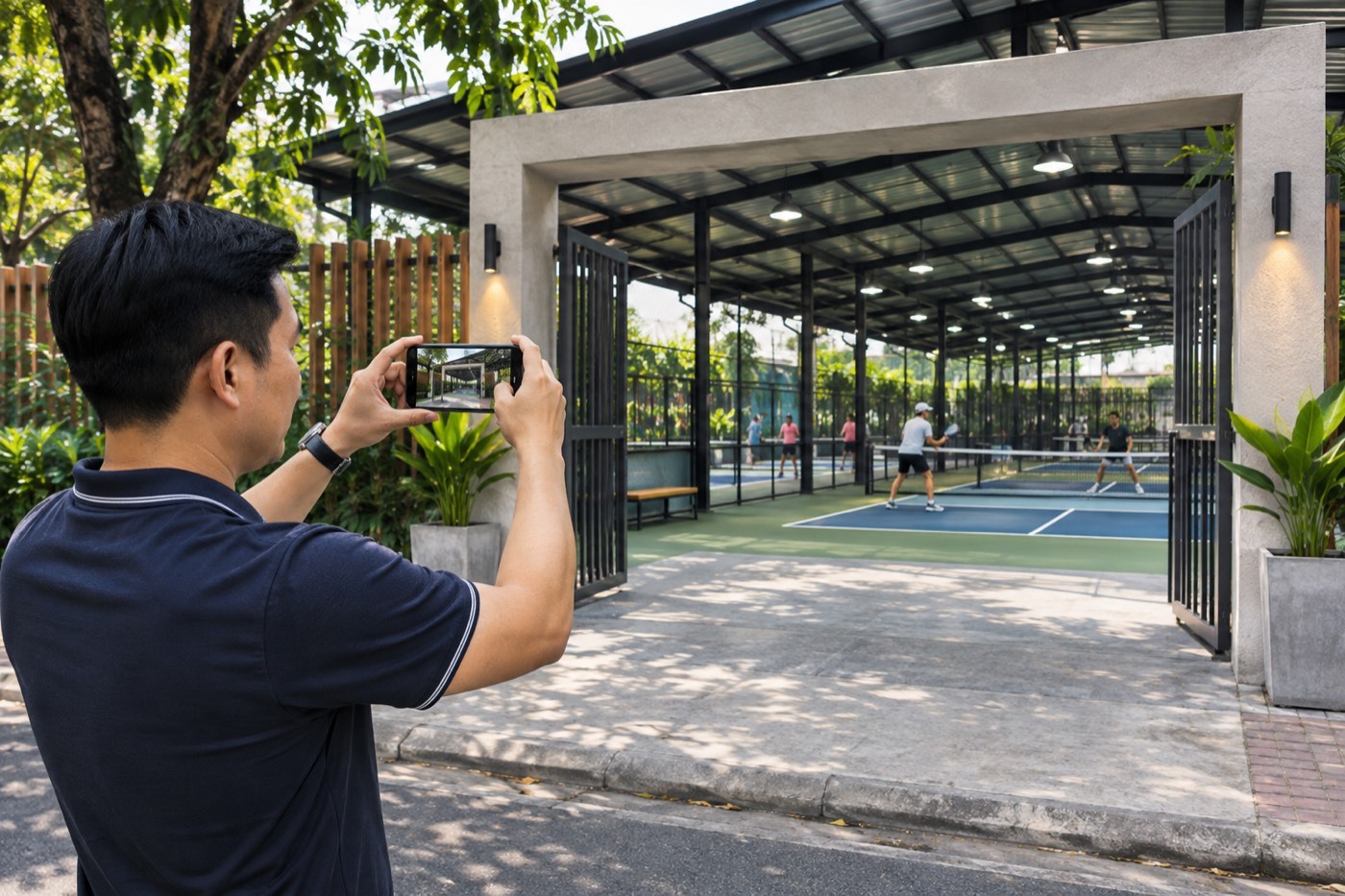
4. Send players to the court they can actually book
Use the Website field for the venue’s own page. If Google offers a Booking option on the verified profile, add a venue-specific link to a page where players can check slots and complete a reservation. If there are multiple booking links, set the club’s direct link as preferred where available. Test the links on a phone while signed out. Check the venue name, time, full price and deposit or cancellation terms before confirming.
If you use web analytics, give the website link its own campaign tag and retain that source in analytics through the booking confirmation. A Google Maps visit can lead to a direct booking, so keep marketing source separate from the booking channel. For the setup itself, see our guide to building a website for your pickleball club.
5. Ask for honest reviews after real visits
Put Google’s review QR code at reception or share the review link after a completed session. Ask any player who actually visited for candid feedback. Avoid incentives, requests for five stars, or asking only customers you expect to be positive. In public replies, address the issue and leave booking details or personal information for a private conversation.
Sample request: “Thanks for playing today. If you have a minute, we’d appreciate an honest Google review. What would you tell someone visiting our courts for the first time?”
6. Measure actions over the next 30 days
Record a baseline in Business Profile Performance, then compare a similar date range after the changes. Track website clicks, direction requests and call-button taps separately. Use your own booking data to measure completed reservations from the link where attribution is available. For example, 80 measured visits and 12 completed reservations is a 15% visit-to-booking rate. Direction requests and call taps are useful signals on their own.
Google describes local ranking in terms of relevance, distance and prominence. Keep information accurate and check results from your service area. If visits rise and bookings stay flat, go through the mobile booking flow again before changing the listing.
A simple maintenance routine
Give one person responsibility for the listing. Check phone, hours, directions and booking from a signed-out phone this week. Next week, add genuine venue photos and a neutral review QR at reception. Each week, reply to reviews and check suggested edits. Before holidays or maintenance, update hours and the booking calendar together. Each month, compare website clicks, confirmed bookings and the hours those reservations filled. Label the website and booking links separately in analytics where supported.
Read next · Why pickleball clubs need their own website
